Tasks
A task is a piece of work with an assignee and a due date. It can be linked to a contact, opportunity, project or job, and then shows up on that record's page.
Task list
The Tasks section shows every task in the workspace. Projects are on the left, quick tabs on top.
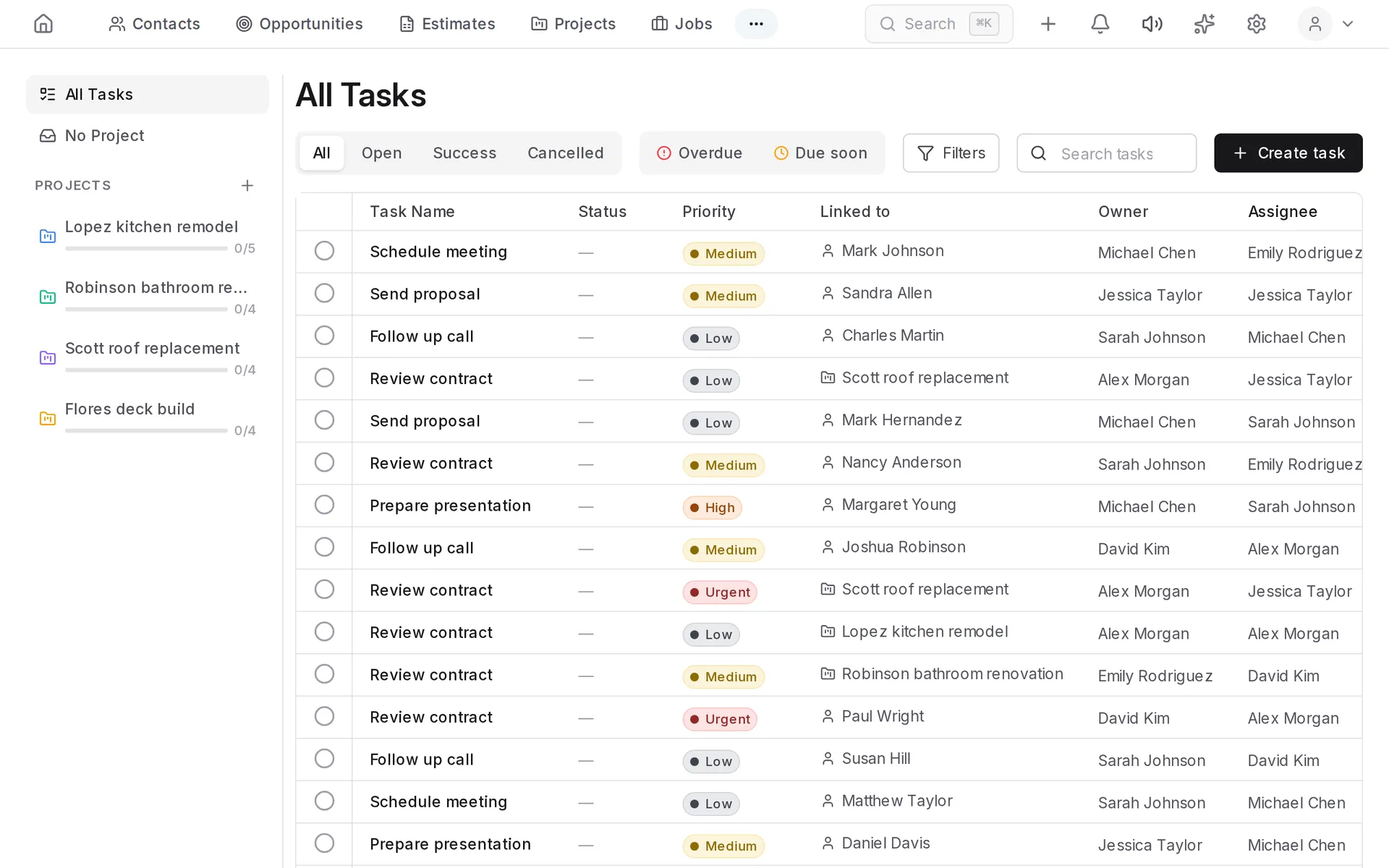
- All / Open / Success / Cancelled — filter by state.
- Overdue and Due soon — the tasks that need attention first.
- Filters — by assignee, priority, labels and dates.
- The circle to the left of the name marks the task as done.
Creating a task
- Click Create task.
- Enter a name.
- Set the assignee and the due date.
- If needed, choose a priority, a project and what the task relates to: a contact, opportunity or job.
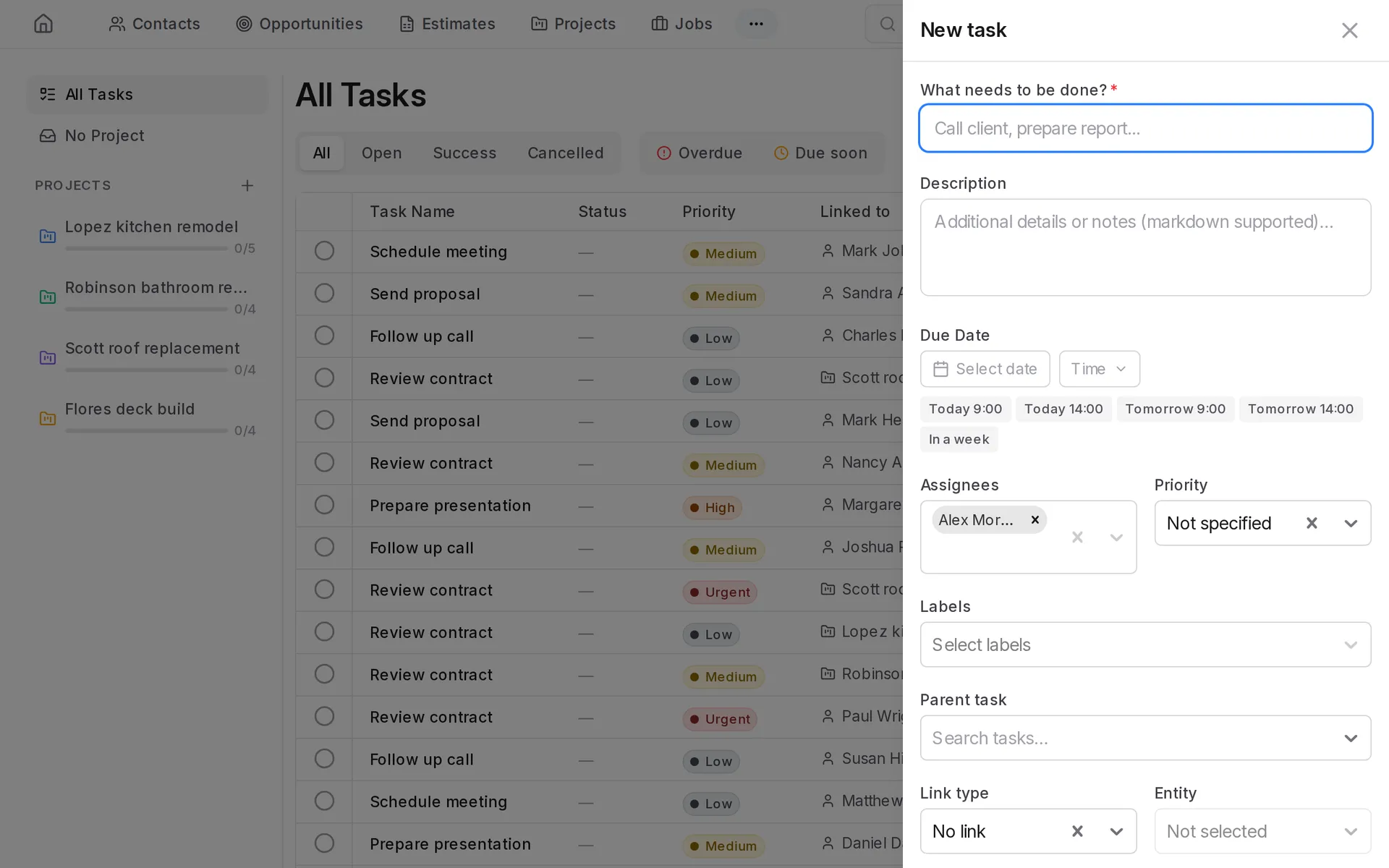
A task can also be created from a contact or opportunity page — the link is set for you.
Subtasks
A large task is easier to handle as subtasks: open the task and add them inside. The parent task shows how many subtasks are done.
Watchers
Besides the assignee, a task can have watchers. They get notified about changes but are not responsible for the work.
Overdue tasks
A task is overdue when its due date has passed and it is neither done nor cancelled. The number of overdue tasks is shown on the home page.
Task stages
If the team works in its own stages (for example, "Queued → In progress → In review"), set them up in Settings → Task Pipelines.